
1. Upload your photo
Add one JPG, PNG or WebP up to 3 MB to Vikas Editor. Use a photo you own or have permission to edit; keep faces clear and well lit.
YOUR PHOTO. YOUR IDEA.
Create a Vikas Editor photo edit from your own picture. Try retro film, a saree portrait, festival lights or a cinematic scene—or choose Other style and write exactly what you want. Edit the full prompt, check the credits and download your result.
Start from a template or describe your own edit. Your full prompt stays visible.
Starting point: Other style
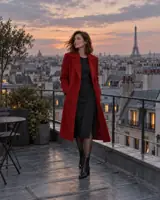
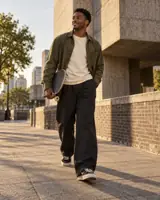

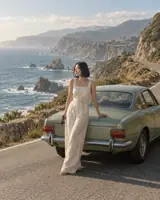
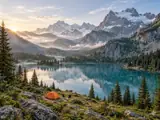

Your photo, a new point of view
These are illustrative scenes. Upload your own photo, choose a prompt or write one, then review your generated result here.
AI style illustrations, not results from your photo.
Your latest 20 edits, including unfinished requests. Sign in to view them.
Vikas Editor requires sign-in to generate. Photo: 10 credits. Silent video: 40 credits.
The Vikas Editor prompt library has 40 photo recipes and 12 motion ideas. The gallery illustrates creative directions; it is not a before-and-after test of every preset. Open All templates in the studio to find a look, or start with your own words.
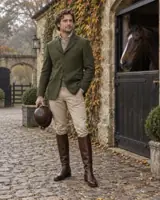
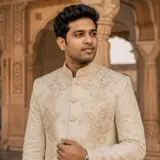
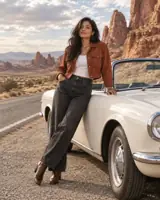

Explore golden-hour portraits, neon rain and retro film. Vikas Editor shows the complete prompt so you can adjust the mood, scene and lighting.
Try palace-inspired clothing, silk sarees and bridal scenes. Keep the setting specific, and change any outfit details you do not want.
Build an urban editorial or switch to a car, bike or travel scene. Your source and lighting matter more than adding a long list of effects.
Choose a simple headshot, a glow mirror selfie or a dusk-flash portrait. Keep the face clear and review the result at full size.
Browse the directions below, then choose one in All templates above. Each Vikas Editor recipe is editable. For a change that is not listed, use Other style and describe it yourself.
Cinematic · Street editorial · Studio headshot · Neon monsoon · Old money · Glow mirror selfie · Lofi dusk flash
80s / 90s film
Royal portrait · Silk saree · Bridal portrait · Temple light
Diwali glow · Navratri / Garba · Eid portrait · Holi colors · Raksha Bandhan · Karwa Chauth · Birthday portrait
Luxury car night · Neon superbike
Couple cinema · Couple retro
Anime portrait · Ghibli-inspired watercolor · 3D avatar · Watercolor portrait
Travel portrait · Winter snowfall · Thunderstorm sky · Underwater portrait
Miniature world · Cricket / football jersey · Graduation · Fantasy wings · Double exposure · Restore and enhance · Personal poster · Courtside fan · Beach film collage
Gentle portrait motion · Car jump · BMW night drift · Bike ghost · Wings unfold · Fire hand · Mata Rani scene · Parvati scene · Petal drift · Snowfall motion · Retro film motion · Krishna scene
Video ideas use a suitable starting image. Car jumps, drifting, flames and fantasy transformations are experimental requests, with variable results on the configured model.
Add one JPG, PNG or WebP up to 3 MB to Vikas Editor. Use a photo you own or have permission to edit; keep faces clear and well lit.
Open All templates or choose Other style. Edit the visible prompt, select 1:1, 4:5 or 9:16 and check the credit cost. Custom editing needs a description.
Inspect the face, hands and scene before saving. Reopen your latest tasks in Recent edits. Download successful files promptly; provider links can expire.
Use Vikas Editor for a studio headshot, retro portrait or mirror selfie. Start with a recognizable face and keep room for your final crop.
Try Diwali, Navratri, Eid, Holi, birthday or graduation prompts. For couple edits, upload a photo already containing both people; matching both faces is less predictable.
Try anime, watercolor, a jersey, a travel scene or image to video. Vikas Editor also offers landscape, restoration and poster prompts; inspect small details and any text.
Use a sharp photo with visible faces and even light. Avoid heavy filters, obscured eyes and text across the subject. A new setting cannot recover missing facial information. For a landscape edit, upload the landscape itself.
Vikas Editor uses the reference, but likeness is not guaranteed. AI may change facial features, hands, clothing or details. Couple and stylized results need particular care. Use a photography service for official identity documents.
Say what to keep, what to change and the light you want: “Keep my face and jacket. Put me on a quiet beach at sunset.” In Vikas Editor, Other style sends that description without adding a template. Selected recipes fill the same editable field.
Prompts can be up to 1,000 characters, in English or your language. Remove conflicting details before starting. Vikas Editor treats your edited text as the full instruction. A new generation has a separate cost, even when you are adjusting an earlier result.
Turn an upload or a completed Vikas Editor photo into an approximately five-second silent clip. Start with gentle motion or one clear action. The model uses a 580p setting; actual pixel dimensions depend on the source. Watch the ending as well as the opening.
Motion recipes include car jump, night drift, wings, fire-hand and festival scenes. Use a source that already contains the necessary car, hand or scene. Complex effects can fail to match the prompt. Vikas Editor does not add music, captions, beat matching, VN codes or CapCut projects.
AI style illustrationA photo costs 10 credits and a video 40, including custom edits. Check Vikas Editor pricing for pack amounts and available checkout options. Packs are one-time purchases with no subscription renewal; purchased credits do not expire.
Confirmed technical failures return the task credits. For a pending or uncertain status, check the existing task before trying again. Vikas Editor does not automatically repeat a paid generation. A completed result you dislike is not a technical failure.
Use Vikas Editor to edit an uploaded photo with a preset or your own description. Explore portraits, retro film, traditional clothing, festivals, vehicles, illustration and creative scenes. You can also request a short silent video. Results vary; inspect the output before sharing.
Sign in, upload a clear photo and choose a template or Other style. Edit the full prompt, select a composition and confirm photo permission. Check the cost, then create and review your photo. Vikas Editor needs no separate app or imported template.
Yes. Other style is the default for photos. Write the change you want, and Vikas Editor sends that text without a hidden style prompt. An empty custom description cannot start a generation. A preset can use its ready-made prompt.
Browsing and editing prompts in Vikas Editor is free. Generation needs an account and enough credits: 10 for a photo or 40 for a video. Every new generation is charged separately. Check the pricing page for pack amounts and available checkout options.
Upload one JPG, PNG or WebP up to 3 MB, 64–8192 pixels per side and at most 32 megapixels. Convert HEIC first. Photo compositions are 1:1, 4:5 and 9:16; exact exported pixel ratios can differ.
Vikas Editor uses your photo as a reference, with no exact-likeness guarantee. Use a clear face and even light. Review eyes, skin, hands and hair, especially in stylized or couple edits. This tool is unsuitable for exact official-ID requirements.
Choose Animate this photo on a completed result, or upload a suitable image in video mode. Select a motion recipe or write your own, then check the 40-credit cost. Vikas Editor returns an approximately five-second silent clip; review it from start to finish.
No. Vikas Editor creates silent clips without music, captions, beat matching, VN codes or editable CapCut projects. Download the clip and finish it in your preferred editor with audio you have permission to use.
Confirmed technical failures return the task credits. Check an existing pending task rather than starting again. If its status is uncertain, keep the task ID and contact support. Vikas Editor does not automatically repeat paid requests. Disliking a completed result is not a technical failure.
Your reference and instructions go to Fal and its model provider. Use authorized photos and avoid sensitive material. Removing a finished task hides its history and application links; it does not guarantee deletion of provider copies. Read the privacy policy for retention details.
Save successful files from the result area or reopen your latest 20 tasks in Recent edits. Vikas Editor history is not permanent storage: provider links can expire, and removing a task disables its application links. Keep your own copies.
There are 40 photo presets: cinematic, retro film, saree, bridal, festival, car, bike, couple, anime, 3D, watercolor, jersey, graduation, mirror selfie and more. All templates shows every recipe. The Vikas Editor library also has 12 motion ideas; these are curated options, not a live popularity ranking.
Yes. Choosing a template loads its complete prompt into the editable field. Replace clothing, scene or lighting, or rewrite it entirely. Vikas Editor uses the visible text as the full instruction. Prompts can be up to 1,000 characters, in English or your language.
Use one photo that already contains both people. Couple recipes ask the model to preserve each existing face without inventing a partner. Vikas Editor does not combine two separate uploads in this workflow. Two-face consistency is less predictable, so check both people carefully.
This workspace requires an uploaded image, even in Other style. It edits or animates that reference. Vikas Editor does not currently offer a separate text-only generation mode here.
This is an independent creative tool, unaffiliated with Editing by Vikas or an individual creator. The Vikas Editor name does not mean creator endorsement. For a creator’s original VN or CapCut resource, use their own published channels.
Motion recipes provide instructions for those effects, with variable results on the current model. Start with the required car, visible palm or suitable portrait already in the photo. Vikas Editor does not guarantee complex stunts, exact motion transfer or frame-for-frame remakes.
Yes, there are prompts for sky replacement, gentle photo restoration and personal posters. Upload the appropriate source and specify what must stay unchanged. Missing detail may be invented, and text can contain errors. Vikas Editor has no separate layer or precision retouching controls.
The full prompt is plain text: select and copy it from the field. You can adapt it for another image-capable tool that accepts a reference photo. Models follow instructions differently, so a Vikas Editor recipe does not guarantee the same result elsewhere.
Start with a photo and a clear idea. Pick a recipe or choose Other style, check the cost and save the result you want to keep.